Polytropic . FAQ

Frequently asked questions

Settings, maintenance and alarm code :

find all the answers to your questions

Connexion

You want to pair your POLYTROPIC full-inverter pool heat pump (2022 models and later) to your smartphone and benefit from all the features of the PolyConnect application? Follow all the steps on video!


Vous souhaitez convertir une passerelle 4G en wifi sur votre pompe à chaleur POLYTROPIC ? Suivez toutes les étapes en vidéo !


Vous souhaitez convertir une passerelle WiFi en 4G sur votre pompe à chaleur de piscine POLYTROPIC ? Suivez toutes les étapes en vidéo !


If your Polytropic pool heat pump has a connectivity problem, take a look at the video tutorial :


Do you own a connected Polytropic heat pump (pre-2022 models) and want to control your pool heat pump remotely with your smartphone or tablet?

Download the free Smart Life - Smart Living app.

by clicking here

or by scanning the QR code

...then dsee the association procedure on video!

Use

Watch a video to find out how to lock or unlock the screen on your pool heat pump.

Your Polytropic pool heat pump has

a Morpheo screen

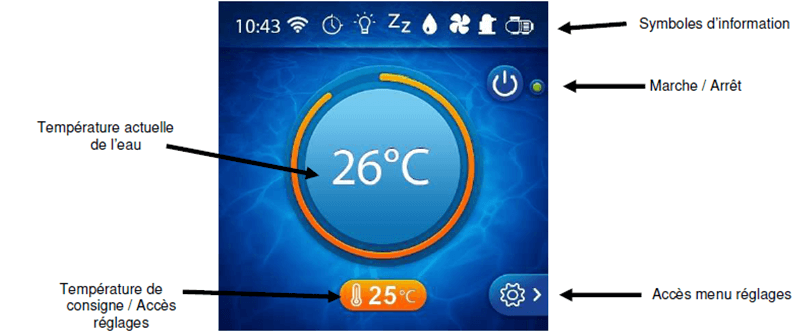
a TFT screen

an LCD screen

The interface for your Polytropic pool heat pump is available in 5 languages: French, English, Spanish, German and Dutch. Find out how to change the language easily.


Watch the video to find out how to set the time in the driver interface.

Your Polytropic pool heat pump has

> a colour touch screen

> a black and white LCD screen

> If your pool heat pump has a black and white LCD screen, the temperature setting is done by simply pressing the "up arrow" and "down arrow" buttons.
 

> If your pool heat pump has a colour touch screen, you can easily change the set temperature of your pool water:

Video selection of operating mode and water temperature setting

Vous souhaitez régler le débit d’eau via l’écran tactile pour un fonctionnement optimal de votre pompe à chaleur de piscine POLYTROPIC ? Découvrez comment régler le débit d’eau pour maximiser les performances de votre pompe à chaleur de piscine.
Comment naviguer dans l’interface de l’écran LCD de votre pompe à chaleur de piscine MORPHEO de POLYTROPIC et régler les principaux paramètres ? Découvrez le tutoriel en vidéo !
Vous souhaitez régler le débit d’eau pour un fonctionnement optimal de votre pompe a chaleur de piscine POLYTROPIC ? Découvrez comment régler le débit d’eau pour maximiser les performances de votre pompe à chaleur de piscine.
Once the desired temperature has been reached, you can programme the daily filtration time to suit your habits (8 to 10 hours a day minimum during the season).
The heat pump will switch on automatically when required. The minimum running time varies according to the period of use.
If, however, you notice that the pool water temperature is dropping while the machine is running continuously, increase the daily running time of your filtration system.
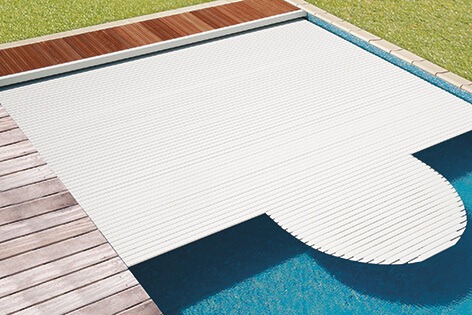
Note: don't forget to cover your pool when not in use to limit heat loss.
An uncovered pool loses four times as much energy as a covered pool!

The time it takes for the temperature to rise naturally depends on your heat pump model, the size of your pool, its exposure, the location and the weather conditions in your region...!

Our recommendations:
> cover the pool with an insulated cover,
> leave the filter pump and heat pump running continuously until the desired temperature is reached (2 days to a week, depending on climatic and geographical conditions),
> remember to adjust the flow rate as you heat up, and again at the end.

Maintenance

To winterise your heat pump at the end of the season, proceed as follows:
> switch off the heat pump by lowering the circuit breaker on the electrical box
> close the upstream and downstream bypass valves,
> Drain the exchanger to prevent any risk of frost damage: drain all the water contained in the exchanger tank by disconnecting the machine inlet and outlet (it is advisable to leave the fittings unscrewed),
> cover the machine with the winter cover (supplied or optional, depending on model) or a waterproof tarpaulin to keep it well protected over the winter!
Winterising your heat pump in video :
Would you like to commission your heat pump at the start of the season?
> Isolate your heat pump from the filtration circuit: close the valves upstream and downstream of the bypass,
> Open the control valve wide,
> Carry out all the usual initial operations (filling, treatment, washing the filter, etc.),
> switch on the filtration pump,
> Switch on the heat pump, select BOOST mode, set the temperature, open the valves and adjust the water flow,
> cover the pool with an insulated cover,
> Leave the filter pump and heat pump running continuously until the desired temperature is reached (2 days to a week depending on climatic and geographical conditions).
> remember to adjust the flow rate as you heat up, and again at the end.
Note: the time it takes for the temperature to rise depends greatly on the pool's exposure to wind and sun and the nature of its surroundings!

Important: before any maintenance (by an authorised person), it is imperative to switch off the appliance and wait a few minutes before installing the pressure control devices, as the pressure and high temperature of certain parts of the refrigerant circuit can cause serious burns.
 
 
Perform the following operations at least once a month:
- Cleaning the heat pump evaporator (using a soft brush or a jet of fresh water) Never use a high-pressure cleaner.
- Check electrical connections and earth connection.
- Tighten all the screws on the machine and the electrical terminal blocks.
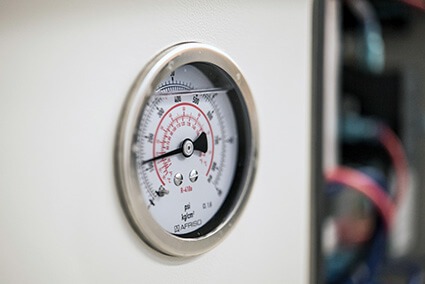
- Check the presence of refrigerant (when the heat pump is switched off, the needle on the pressure gauge must be above 0.5).
 
 
Carry out the following operations at least once a year:
- Settings check.
- Check electrical connections and earth connection.
- Check the condenser (heat exchanger) for clogging and, if necessary, backwash it with a jet of water.
- To clean the bodywork, use a mild soap and water. <Never use solvents.

Error messages and malfunctions

Is your Polytropic pool heat pump displaying the AL07 error code?

Watch the video tutorial:

My Polytropic pool heat pump displays AL09 error

Watch the video tutorial:


Warning: first check that the filtration pump is working properly.

See the video: "What to do in the event of an AL10 High Pressure error.


Un message d’erreur AL15 ou AL16 s’affiche sur votre pompe à chaleur de piscine POLYTROPIC ? Que faire en cas de code alarme L15 ou AL16 sur ma PAC piscine POLYTROPIC ? Retrouvez la signification et les actions requises dans le tutoriel en vidéo.

What to do if you get the error message Electronics problem/overheating :
> switch off the appliance power supply for 5 to 10 minutes,
> check that it is correctly ventilated and that the air flow is not blocked or slowed down,
> Switch the machine back on,
> contact technical support for verification.

Un message d’erreur AL27 ou AL28 s’affiche sur votre pompe à chaleur de piscine POLYTROPIC ? Que faire en cas de code alarme AL27 ou AL28 sur ma PAC piscine POLYTROPIC ? Retrouvez signification et actions requise dans le tutoriel en vidéo.

Votre pompe à chaleur de piscine POLYTROPIC affiche le code Erreur E09 ? Consultez le tutoriel en vidéo.

Warning: first check that the filtration pump is working properly!

Is your heat pump displaying FLO / Water flow error messages? Watch the video:

Is your Polytropic pool heat pump screen faulty?

Watch the video tutorial:

Like any refrigeration appliance, a swimming pool heat pump produces condensate (condensation water) which must be drained off.

In addition, a thin layer of frost can form at the rear of the machine, producing a melt flow.

This indicates that your heat pump is operating normally.

Vous constatez un problème électrique ou électronique sur votre pompe à chaleur de piscine POLYTROPIC ? Que faire en cas de dysfonctionnement ? Visionnez les étapes à suivre dans le tuto en vidéo.

Is your Polytropic pool heat pump not heating?

Watch the video tutorial:

When starting the machine or when changing modes cold / hot / auto, a 2-3 minute delay is normal.

It is also possible that your pool water is already at temperature. Check the set temperature.

Other

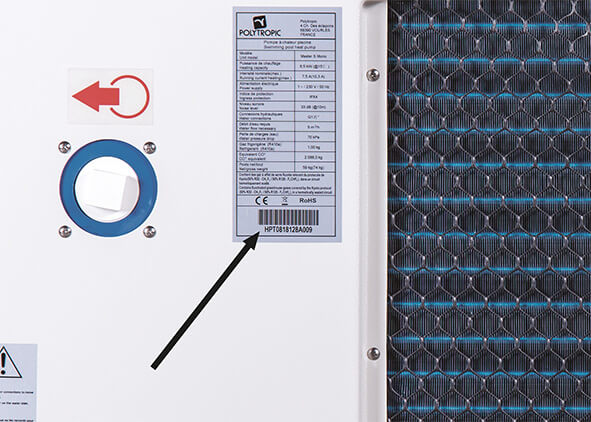
The serial number of your appliance is essential for the support team to carry out a reliable pre-diagnosis and answer your question!

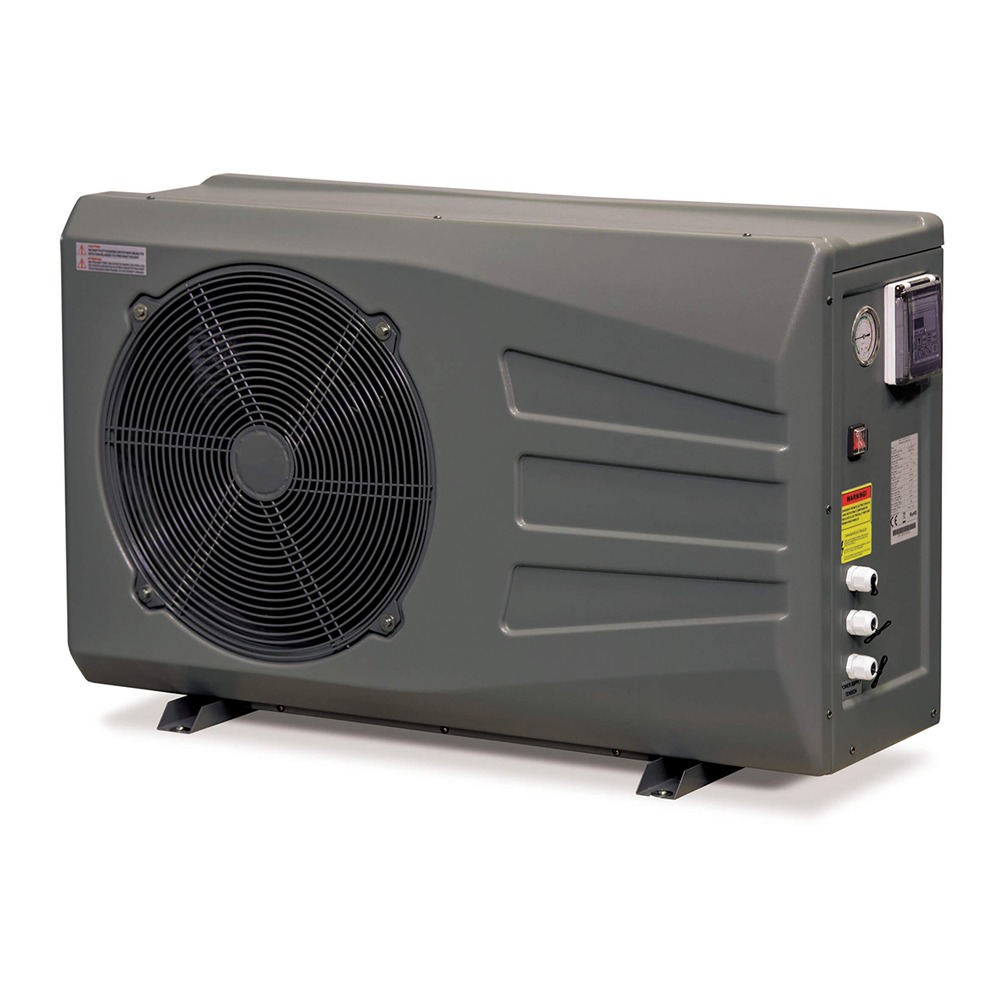
The serial number can be found on the back of your machine, on the nameplate,
below the barcode.

Are you looking for the user manual for your Polytropic heat pump? Take the serial number of your machine and find it in the section Search for my technical manual for online consultation or download.

This is a mixture of glycerine and water necessary for the manometer to work properly and to protect it from vibration. The air bubble inside is needed to absorb the expansion of the glycerine.


During a defrost cycle, you may notice evaporation (water vapour), which may look like smoke. This indicates that your heat pump is operating normally.

Warning! If the defrosting cycle is not running and there is a lot of smoke, contact technical support.

PolySolar Energy System

Heat pumps

ELITE R290 range

The eco-responsible heat pump

MASTER-INVERTER range

The intelligent swimming pool heat pump

MORPHEO range

Customisable heat pumps

OTTIMO range

Unique design and high technology

URBAN range

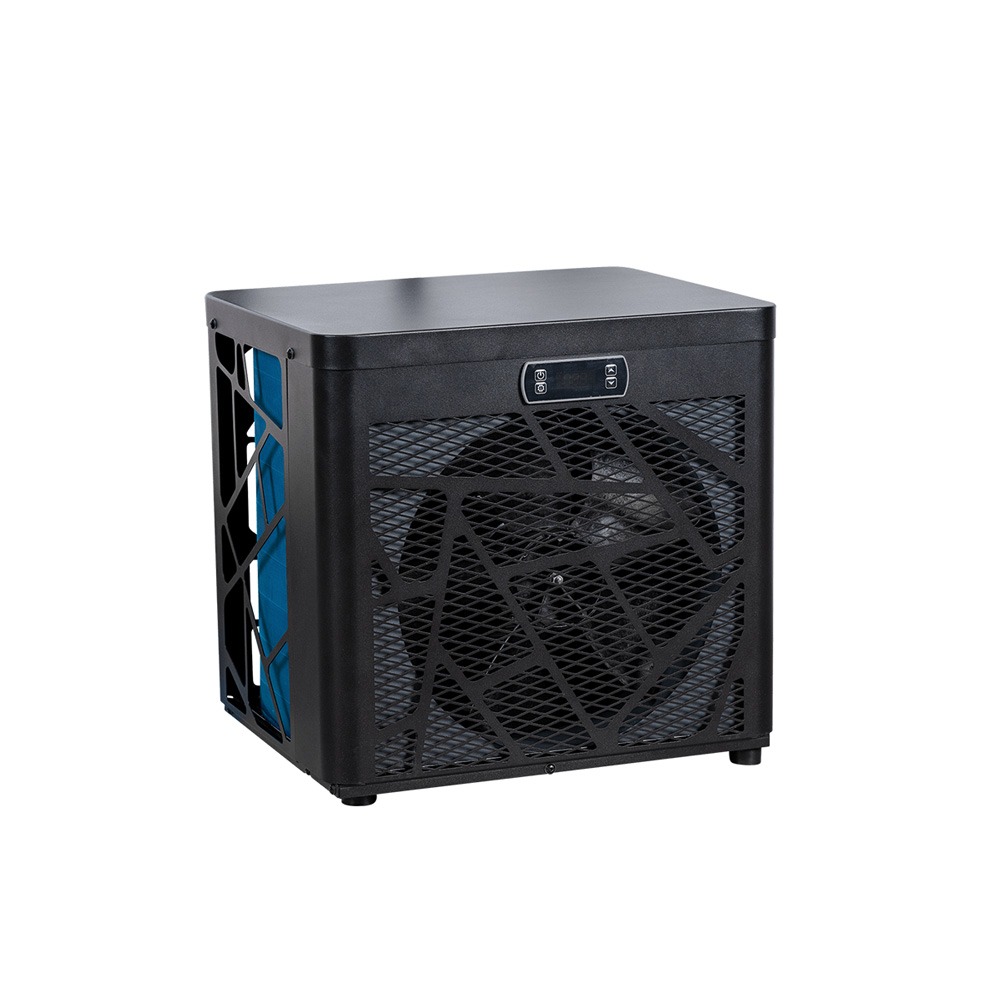
Special for small pools

RAK Inverter range

Special for local authorities

INDOOR range

The invisible CAP!

STEPIO range

SPA Special

MINI STEPIO range

Special for small SPAs

SPA INVERTER range

SPA Special

CRYO INVERTER range

Special cryotherapy

Other equipment

You are looking for

a product, a piece of advice, a technical data sheet?

MENU

ELITE R290 range

MASTER-INVERTER range

MORPHEO range

OTTIMO range

RAK Inverter range

INDOOR range

MASTER-INVERTER range

RAK Inverter range

MORPHEO range

URBAN range

STEPIO range

MINI STEPIO range

SPA INVERTER range

CRYO INVERTER range